• Cheap Windows VPS
  • Server Host
  • VPS Hosting Service
CheapWindowsVPS
  • VPS Plans
    • Windows VPS
    • Linux VPS
  • Features
  • FAQ
  • About
  • Blog
  • Support
  • Contact
  • Login
  • Create Account
  • A Step-by-Step Guide to Migrating Your Existing Windows Shares to a New File Server

    A Step-by-Step Guide to Migrating Your Existing Windows Shares to a New File Server

    To migrate existing Windows shares to a new file server, you’ll need to utilize a combination of registry editing and file transfer methods. The shared network folders and their settings are stored under HKLMSYSTEMCurrentControlSetServicesLanmanServerShares in the Windows registry. Step-by-Step Guide for Migration: List Existing Shares:To view current shared SMB resources on a Windows host, use…

    December 24, 2025
  • Microsoft’s “Storage Revolution”: Native NVMe Support Arrives in Windows Server 2025

    Microsoft’s “Storage Revolution”: Native NVMe Support Arrives in Windows Server 2025

    Microsoft has announced the inclusion of native NVMe support in Windows Server 2025, which the company heralds as a "storage revolution." This development is anticipated to bring significant performance enhancements, particularly for enterprise applications. By implementing native NVMe, Windows Server 2025 can unlock the full potential of modern NVMe devices including PCIe Gen5 SSDs, delivering…

    December 23, 2025
  • Leveraging KDC (Kerberos) Proxy in Active Directory for Secure Remote Access

    Leveraging KDC (Kerberos) Proxy in Active Directory for Secure Remote Access

    The Kerberos Key Distribution Center (KDC) proxy service is designed to provide a secure way for remote clients to authenticate using Kerberos when they cannot access Active Directory domain controllers directly. Initially intended for services like DirectAccess and Remote Desktop Gateway, the KDC proxy becomes increasingly important as Microsoft phases out NTLM authentication protocols, necessitating…

    December 23, 2025
  • Microsoft Introduces Hardware-Accelerated BitLocker in Windows 11 25H2: What You Need to Know

    Microsoft Introduces Hardware-Accelerated BitLocker in Windows 11 25H2: What You Need to Know

    Microsoft has introduced hardware-accelerated BitLocker capabilities with the latest update of Windows 11 (25H2) and Windows Server 2025, a move that aligns with the performance improvements seen in modern SSD technologies. According to Microsoft’s Rafal Sosnowski, the evolution of Non-Volatile Memory Express (NVMe) drives facilitates incredibly fast data transfer rates but also poses a challenge,…

    December 22, 2025
  • SSD Afterburner: Introducing Microsoft’s New NVMe Driver for Windows 11

    SSD Afterburner: Introducing Microsoft’s New NVMe Driver for Windows 11

    Microsoft has introduced a new NVMe driver for Windows Server 2025 to enhance SSD performance, which is also included in Windows 11. This update promises to significantly boost Input/Output Operations Per Second (IOPS) and overall data throughput while reducing CPU load. The previous driver setup posed a bottleneck because Windows converted NVMe commands to the…

    December 20, 2025
  • Microsoft’s Bold Initiative: Enhancing SSD Performance on Windows Systems

    Microsoft’s Bold Initiative: Enhancing SSD Performance on Windows Systems

    Microsoft is making significant strides to enhance SSD performance in its upcoming Windows Server 2025, with hopes of integrating these improvements into Windows 11. The tech giant is modernizing how its operating systems manage read and write commands for storage devices, specifically targeting high-end SSDs that connect via PCI Express. Historically, Windows has limited support…

    December 18, 2025
  • Step-by-Step Guide to Manually Create and Install a Windows Service

    Step-by-Step Guide to Manually Create and Install a Windows Service

    In Windows, services operate in the background, allowing applications to run without user interaction and start automatically during boot. This guide walks you through the process of creating a new system service from an executable file using built-in tools available in Windows. To create a service, you can utilize the sc.exe command from the command…

    December 17, 2025
  • Microsoft’s Game-Changing Upgrade Decision: What It Means for All Windows Users

    Microsoft’s Game-Changing Upgrade Decision: What It Means for All Windows Users

    Microsoft has announced a significant upgrade option for Windows users, particularly as many have yet to transition to Windows 11. The tech giant revealed that approximately 500 million users have systems compatible with Windows 11 but are hesitant to make the switch. In response, Microsoft is enabling all supported PCs, including those running Windows 10,…

    December 17, 2025
  • Seamless Connectivity: How to Automatically Switch to the Strongest Wi-Fi Network on Windows

    Seamless Connectivity: How to Automatically Switch to the Strongest Wi-Fi Network on Windows

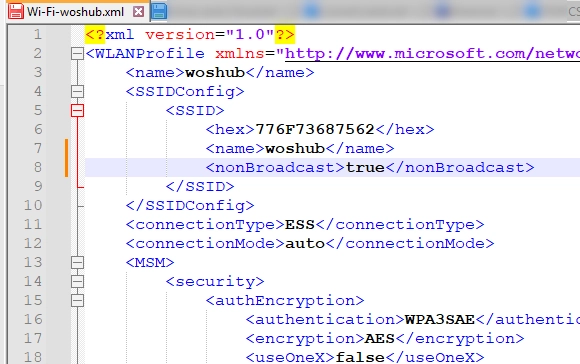
    Windows 10 and 11 come equipped with a useful AutoSwitch feature, which enables devices to automatically select the Wi-Fi access point (AP) with the strongest signal when multiple APs are broadcasting the same SSID. This functionality helps prevent disconnections due to weak signals by seamlessly connecting to a better option when available. To activate the…

    December 16, 2025
  • Understanding the Fundamentals of Windows, SQL, and Exchange Server Licensing

    Understanding the Fundamentals of Windows, SQL, and Exchange Server Licensing

    As Microsoft phases out older versions of Exchange Server, IT leaders must navigate complex licensing changes to maintain compliance and control costs. Understanding the licensing landscape for Windows Server, SQL Server, and Exchange Server is essential for organizations seeking to avoid costly mistakes and even uncover opportunities for savings. Exchange Server Moves to Subscription Edition…

    December 16, 2025
←Newer Posts Older Posts→

We’re loved by our customers

See why so many people are switching to Cheap Windows VPS.

Windows VPS Contact Us
CheapWindowsVPS
  • Windows Hosting Plans
  • Linux Hosting Plans
  • What’s Included
  • FAQ
  • About
  • Support
  • Contact
  • Terms of Service
  • Privacy Policy
  • © 2026 Cheap Windows VPS