In a previous discussion, I highlighted the lack of information regarding registration for Windows 10 personal extensions on devices connected to a domain or Entra. For these devices, a paid extension is necessary.
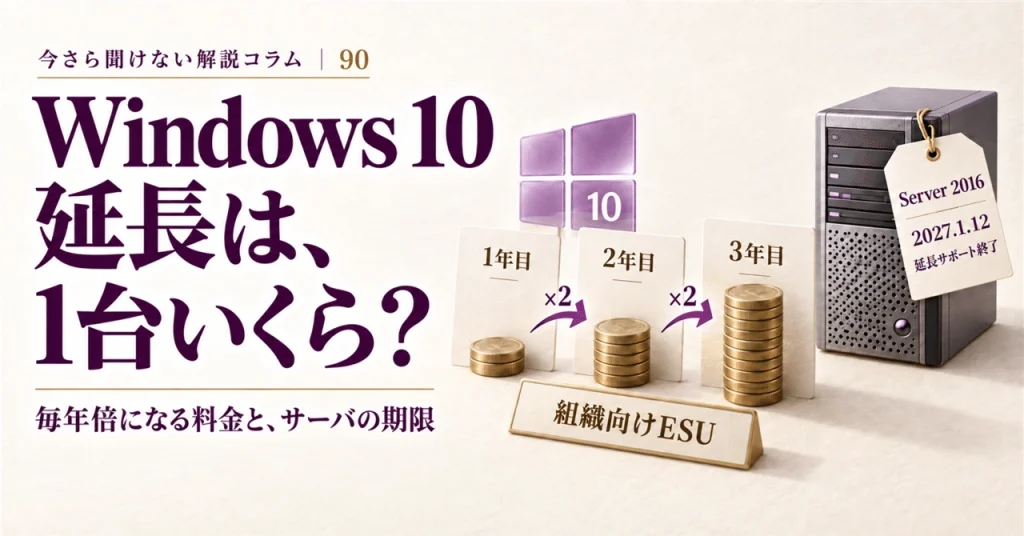
Here’s a brief overview: paid extensions must be bought annually, for one device at a time, and the price doubles every year for a maximum of three years. If you miss the first year and join in the second, you will pay for the first year as well as the second. This means that delaying your purchase only increases costs.
This article explores how extension fees are set and what deadlines are often overlooked—specifically, the expiration date for servers that may go unnoticed.
Key Findings:
- Higher Costs with Delay: Waiting will lead to increased costs for extensions.
- Windows Server 2016 Support: Mainstream support for Windows Server 2016 ended on January 11, 2022, with the extended support ending on January 12, 2027.
Extension Purchase Rules
Pricing:
- The cost for Extended Security Updates (ESU) is $61 per device per year through volume licensing. The purchase is per device, not user.
Minimum Purchase:
- You can purchase a minimum of one license.
Duration:
- Extensions are bought in increments of one year and cannot be split into shorter periods (e.g., six months).
Fee Structure
The cost doubles each year, as described in the guidelines:
- Year one: $61
- Year two: $122
- Year three: $244
If you miss the first year and join in the second year, you will need to pay for both the first and second years.
Importantly, purchased extensions are cumulative and will not erase deadlines. For devices tied to commercial or educational organizations, the maximum extension period is three years post-support, ending three years after Windows 10 support ceased on October 14, 2025.
Free Extensions
There are exceptions where costs are waived. Virtual environment setups such as Windows 365, Azure Virtual Desktop, and Azure virtual machines can use ESUs without additional fees. Devices connected to Windows 365 Cloud PCs can also qualify for ESU rights for three years with a valid Windows 365 subscription.
What ESUs Do Not Cover
Certain items are excluded even with an ESU purchase:
- New features and non-security updates are not part of the package.
- General support is not provided post-end-of-support. The support included is limited to license activation and installation issues, requiring a valid support plan.
Server Expiration Dates
A critical topic is the unnoticed deadlines for servers, such as Windows Server 2016, which is set to reach its extended end date on January 12, 2027. The importance of taking action is amplified for servers that run continuously, often without direct oversight. If vital operations fail due to server outages, the repercussions can be extensive, affecting file accessibility and business systems.
Tracking Deadlines
To stay organized, keep a list to track expiration dates. Include:
- Product name
- Edition
- Version
- End date
- Date verified
- Verification URL
Updating this list every six months is crucial to accommodate any changes.
Summary of Current Status (As of September 2026)
- Cost: $61 per device, doubling annually for up to three years.
- Minimum purchase: one license, annual basis only.
- Updates available for up to three years post-support.
- Windows Server 2016’s extended support ends on January 12, 2027.
Careful planning and timely actions surrounding these issues are essential for efficient operational continuity.