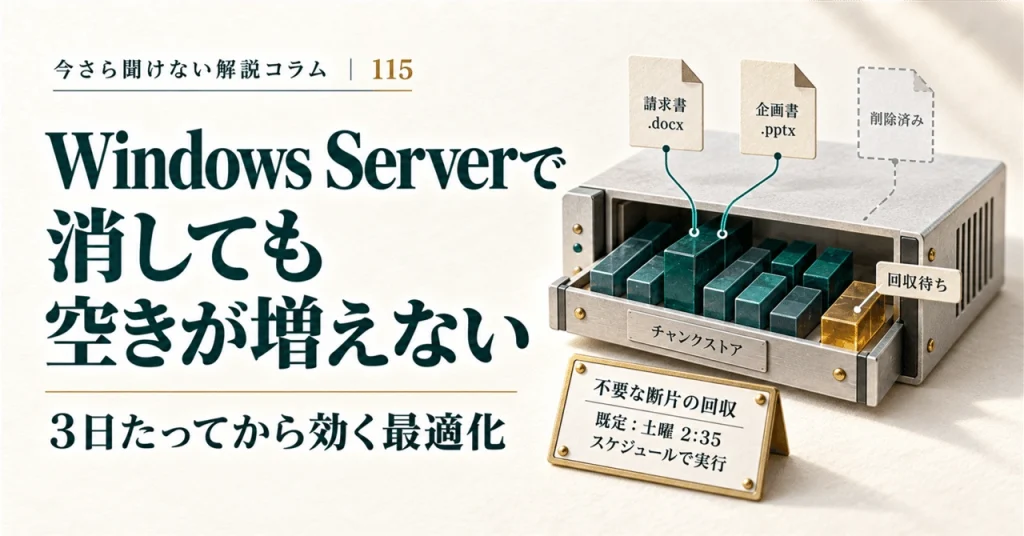
Windows Server’s Data Deduplication feature can make it seem as though storage figures are behaving unexpectedly. Adding several copies of a document may use less space than expected, while deleting a file—and even emptying the Recycle Bin—may not immediately free up capacity.
The reason is that deduplication does not simply compare whole files. It breaks data into chunks, stores only unique chunks, and reconstructs files when they are accessed. Two details explain much of the delay: files may not be optimized until they are three days old, and space from deleted files may not be reclaimed until the weekly cleanup job runs.
How deduplication works
Microsoft describes Data Deduplication as following two principles: it should not interfere with disk writes, and it should not change how users or applications access files.
To avoid slowing down writes, Windows first saves files in their ordinary, unoptimized form. A later optimization job processes eligible data. This means the feature works in the background, but storage savings are not necessarily visible as soon as files are copied.
Deduplication identifies repeated patterns across files, divides data into chunks, and stores unique chunks in a chunk store. This can save space even when files are not identical—for example, when several documents share most of their content but have different cover pages.
The original file stream is replaced with a reparse point, while details such as the file name and creation date remain. When a file is opened, the file system directs the request to the Data Deduplication filter, Dedup.sys, which retrieves the necessary chunks and assembles the file for reading.
Edits to an optimized file are initially written in unoptimized form. The next optimization job processes those changes, so files that are frequently updated may have portions that are not yet deduplicated.
The chunk store is kept in container files under the volume’s System Volume Information folder. Microsoft warns against modifying it manually: doing so can corrupt or destroy data.
When optimization takes effect
Windows Server offers three usage types: Default, Hyper-V, and Backup.
- Default, intended for general-purpose file servers, has a minimum file age of three days. Files in use and partial files are not optimized.
- Hyper-V, intended for VDI workloads, also has a three-day minimum age, but allows optimization of files in use and partial files.
- Backup has a minimum file age of zero days. It allows optimization of files in use, but not partial files.
The three-day delay is therefore a policy setting for particular workloads, not an inherent requirement of deduplication. Backup workloads can be optimized from the day files are added.
The optimization job checks according to its schedule, which defaults to once an hour. The hourly schedule determines how often the job runs; the file-age policy determines whether a particular file is eligible when it runs.
Why deleting files may not free space right away
Data Deduplication uses four jobs:
| Job | Purpose | Default schedule |
|---|---|---|
| Optimization | Divides eligible data into chunks, compresses it if appropriate, and stores unique chunks | Every hour |
| Garbage collection | Removes chunks no longer referenced by files | Saturday at 2:35 a.m. |
| Integrity scrubbing | Checks the chunk store for corruption | Saturday at 3:35 a.m. |
| Unoptimization | Reverses deduplication for a volume | On demand |
When a file is deleted, its file record disappears, but chunks it used may remain in the chunk store. Garbage collection removes chunks that are no longer referenced. Because the default job runs weekly, space reclaimed after a deletion may not appear until the next scheduled cleanup. For instance, a cleanup performed on Monday may not recover that space until Saturday morning.
Integrity scrubbing checks for corruption associated with disk failures or bad sectors. Microsoft also documents that chunks referenced more than 100 times may have a backup copy in a “hotspot” area.
Unoptimization is different from the scheduled jobs: it must be started manually. Reversing deduplication requires enough free capacity to restore the data to its original size, so it may not be possible when a volume is already nearly full. Job schedules can be changed to fit workload requirements and avoid competing for system resources.
Differences from other storage techniques
NTFS compression works on individual files as they are written. Data Deduplication, by contrast, can find repeated data across files on a volume and optimizes it later.
The older Single Instance Store (SIS) looked for completely identical files and replaced duplicates with links to a single copy. Data Deduplication can also identify matching parts within files, including files that are not otherwise identical.
Archive formats such as ZIP, RAR, 7z, and CAB also reduce repeated data. But archives generally need to be extracted before their contents can be used, whereas deduplicated files remain accessible through normal file operations.
Important limitations
Microsoft documents several unsupported or discouraged combinations:
- Nested virtualization: Data Deduplication is not supported in nested virtualization scenarios.
- Windows 10: It is not supported on Windows 10. Community instructions for transferring binaries from Windows Server do not make the configuration supported.
- Windows Search: Search cannot index deduplicated files, so they may be omitted from search results.
- Robocopy: Microsoft does not recommend using certain Robocopy operations with Data Deduplication because they may damage the chunk store. Copying optimized files without their corresponding chunks can leave reparse points that no longer lead to the data.
- Volumes with multiple storage tiers: Data Deduplication is not supported on these volumes.
Storage Replica is supported, but Data Deduplication must be configured so that it does not run on the secondary copy.
As of October 2026, Microsoft lists Windows Server 2016, 2019, 2022, and 2025 as applicable versions. NTFS is supported; ReFS support is available starting with Windows Server 2019.
What to check before enabling it
Before deploying Data Deduplication, check the workload type and its file-age policy, the garbage collection schedule, whether Windows Search is needed on the volume, and which tools will be used for copying or migration.
These settings help explain why a shared folder’s capacity display may not change immediately. Optimization runs in the background, and reclaiming space after deletion depends on the garbage collection schedule.