Microsoft has introduced hardware-accelerated BitLocker capabilities with the latest update of Windows 11 (25H2) and Windows Server 2025, a move that aligns with the performance improvements seen in modern SSD technologies. According to Microsoft’s Rafal Sosnowski, the evolution of Non-Volatile Memory Express (NVMe) drives facilitates incredibly fast data transfer rates but also poses a challenge, as tasks like real-time encryption and decryption can slow down system performance if not optimized.
The feature was announced during Ignite 2025 in November, accompanied by the introduction of Universal Flash Storage (UFS) Inline Crypto Engine technology, both designed to utilize advanced chip structures and central processing unit capabilities. This implementation aims to enhance both performance and security, particularly for upcoming NVMe drives.
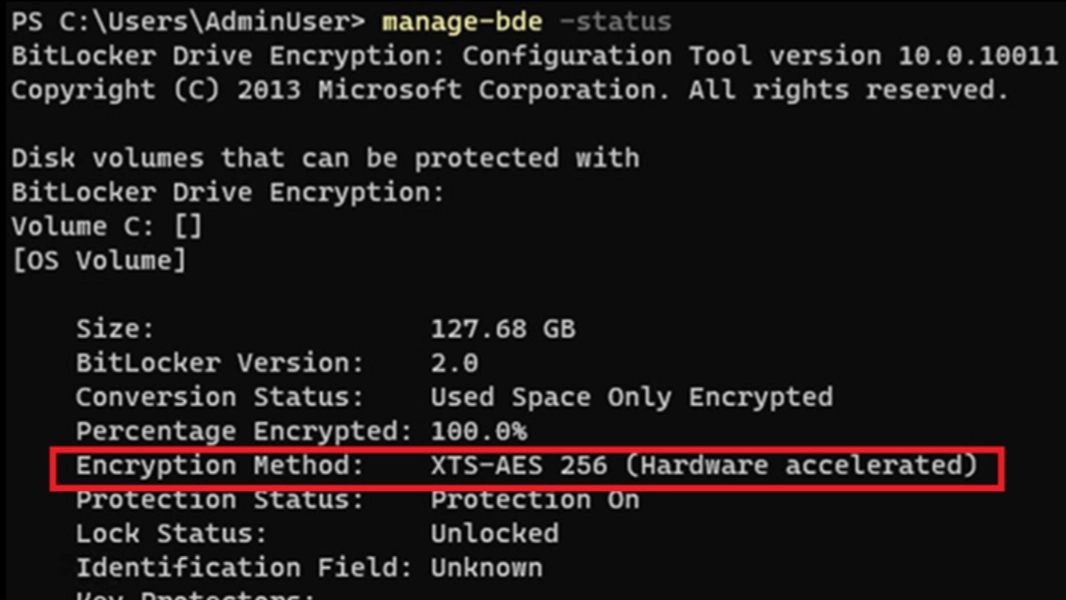
The enhancement of BitLocker is said to achieve an estimated 70% decrease in CPU usage, which can improve battery longevity. With hardware-accelerated BitLocker enabled, users can expect performance comparable to using an NVMe drive without encryption. To check if your PC or server has this feature, use the following command in an administrator command prompt:
manage-bde -statusIn the output, if BitLocker is utilizing hardware acceleration, the “Encryption Method” entry will reflect this. Note that this may not be available in Windows 11 Home, which supports a feature called Device Encryption but does not offer the complete BitLocker functionality.
For more information, you can explore further on Windows Server 2025 and BitLocker.